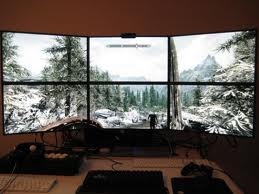
Mid-range graphic card question about the performance cost o

Post » Mon May 28, 2012 11:21 am

Hello all, I have a question.

Since Oblivion and FO3 I noticed I could get -substantial- FPS gains by lowering the amount of 'samples' for AA and AA filtering in Bethesda games.

I tend to have mid-range to somewhat-upper-midrange hardware such as my current ATI 6950. But I really like to mod games alot which certainly takes its toll on a system, and I'm loathe to play with bad framerates. Skyrim plays well, but in outdoor environments it gets bad if I max out the AA sampling.

My answer so far has been essentially to drop AA/AA filtering to some like 2/4 so I can 'afford' the nice texture packs, post-processors, and all these goodies. Thing is, the latter make a huge, immediately visible difference to my eye so I feel like its a good deal. I don't immediately see the difference between 2/4 AA and 8/16AA OTOH, but then again, I don't have a great eye for that sort of thing. I DO see the considerable difference between no AA and some AA though.

So I wanted to ask other people who mod graphics alot, given the apparently huge performance cost of maxed AA settings compared to moderate settings, is there any reason why I shouldn't do this? Is a high amount of AA samples ever worth it somehow? Do you people see the difference between moderate and max AA sampling, and is the performance difference supposed to be so big? I don't know alot about these things so I always assume I might be shooting myself in the foot with my try-and-see approach. Is the sacrifice of some sampling worth it like I think it is, or am I missing something?

User avatar
Emily Shackleton
 
Posts: 3535
Joined: Sun Feb 11, 2007 12:36 am

Post » Mon May 28, 2012 3:22 am

While this is a Nvidia guide, you may find the information in it useful. There's a whole section on AA with benchmarks.

http://www.geforce.com/Optimize/Guides/the-elder-scrolls-v-skyrim-tweak-guide

EDIT: Reading your post again I see this link probably won't help you since you're already well versed in the relative costs of AA. Maybe others will find it helpful though.
User avatar
Beth Belcher
 
Posts: 3393
Joined: Tue Jun 13, 2006 1:39 pm

Post » Mon May 28, 2012 11:14 am

If you can't see a difference between 4x AA and 8x AA then why waste your performance on 8x AA? If you don't like pizza, do you ask other people whether they like pizza to decide whether you want to eat it or not?
User avatar
Skrapp Stephens
 
Posts: 3350
Joined: Mon Aug 06, 2007 5:04 am

Post » Mon May 28, 2012 4:44 am

There are those who don't like pizza?
User avatar
Brandon Wilson
 
Posts: 3487
Joined: Sat Oct 13, 2007 1:31 am

Post » Mon May 28, 2012 12:43 am

the vast majority of graphical tweaks might indeed be unnoticeable to the most people so there is no reason to use them. i use af 16 and FXXA (aa OFF because i see little gains). textures on the other hand, such as making wooden shelves look like pixaleted barf are very noticeable as i spend a lot of looking at wooden treasure chests/shelves.

honestly i dont see a diff between 8 and 16af but since the performance hit is almost zero in areas where i tested it, i figured why the hell not. now, as for things that give a marginal gain in appearance but cost you a lot of fps, no.
User avatar
Julie Ann
 
Posts: 3383
Joined: Thu Aug 23, 2007 5:17 am

Post » Mon May 28, 2012 2:25 am

If you can't see a difference between 4x AA and 8x AA then why waste your performance on 8x AA? If you don't like pizza, do you ask other people whether they like pizza to decide whether you want to eat it or not?

Haha, you know, I felt like someone would (rightfully) reply just that to my thread and your answer is fine. Indeed, for about five years now I've been content with 'going by eye' that way for all Beth games. Its just that there's so many aspects to modern graphics that I know little about despite good general knowledge about computing that I've been increasingly telling myself I should learn more. Today, a misclick led to the re-generation of my ini, which I had to tweak by hand all over again, and this time curiosity got the best of me. I mean, the performance differential is so huge and visual difference so small to me, that it's got me wondering. If I'm right about this, why don't tweak guides ever mention this? If there IS a big visual difference I'm not seeing, well, I figured it might be worth to hear other people's thoughts on the matter, maybe invest in a better graphic card if their comments can sway me.

Basically, it's mostly intellectual curiosity about technical aspects and a desire to learn.
User avatar
{Richies Mommy}
 
Posts: 3398
Joined: Wed Jun 21, 2006 2:40 pm

Post » Mon May 28, 2012 2:47 pm

6850/6870 or gtx 560/ti is the best bang for your buck if youre looking to upgrade
User avatar
Unstoppable Judge
 
Posts: 3337
Joined: Sat Jul 29, 2006 11:22 pm

Post » Mon May 28, 2012 6:11 am

The difference between different levels of AA become much more clear at lower resolutions. If you're playing at native you might even be able to get away with no AA.
User avatar
Chrissie Pillinger
 
Posts: 3464
Joined: Fri Jun 16, 2006 3:26 am

Post » Mon May 28, 2012 2:23 pm

Comparisons of different AA types at 2560x1600 can be found here: http://www.gamesas.com/topic/1320263-2560x1600-high-res-comparison-of-different-aa-hd-mods-and-nvidia-tweaks/ (need to use the PNG or Bitmap images to really see the difference)

For comparisons of AA needed with lower resolutions vs higher resolutions, I like to throw out this ancient Half Life comparison: http://cowclops.net/aa.png
User avatar
Poetic Vice
 
Posts: 3440
Joined: Wed Oct 31, 2007 8:19 pm

Post » Mon May 28, 2012 9:52 am

6850/6870 or gtx 560/ti is the best bang for your buck if youre looking to upgrade

Err I have this. http://www.directcanada.com/products/?sku=14080BD4250&vpn=11188-05-50G&manufacture=SAPPHIRE

Im aware both ATI and NVIDIA are sometimes misleading with their advertising but I would hope a 6950 is still better than a 6850? :tongue:

Comparisons of different AA types at 2560x1600 can be found here: http://www.gamesas.com/topic/1320263-2560x1600-high-res-comparison-of-different-aa-hd-mods-and-nvidia-tweaks/ (need to use the PNG or Bitmap images to really see the difference)

For comparisons of AA needed with lower resolutions vs higher resolutions, I like to throw out this ancient Half Life comparison: http://cowclops.net/aa.png

This is VERY interesting thank you. Precisely the kind of thing I wanted when I made this thread. APpreciate it :smile:


The difference between different levels of AA become much more clear at lower resolutions. If you're playing at native you might even be able to get away with no AA.


This is another very interesting bit of information that I wasn't aware of (though it makes sense), so thank you. I do play native (1920*1200) on a 24 inch Dell 2408WFP
User avatar
Chantel Hopkin
 
Posts: 3533
Joined: Sun Dec 03, 2006 9:41 am

Post » Mon May 28, 2012 7:00 am

Try FXAA. If you like the effect (like I do), it's basically free anti-aliasing, which in many cases actually reduced aliased edges better than normal AA.
User avatar
Natasha Callaghan
 
Posts: 3523
Joined: Sat Dec 09, 2006 7:44 pm

Post » Mon May 28, 2012 3:25 am

It sounds like you don't really know what AA is. Computer graphics make curves with straight lines. Think of an Etch-A-Sketch and how you make a curve with that. SAME THING in computer graphics. AA just smooths out the curves by making more refined steps. The more AA samples the smaller the steps, the less you can see that its staired.

I personally never trained myself to stop and look for such stuff so I never notice it unless someone specifically points it out. I even play at 1900x1200 and I've never had a game where I thought to myself that the edges werent smooth enough. But thats how I am personally.

My father can't see the difference between HD tv and standard def. I keep telling him its pointless to spend extra on the 1080p television set but he insist on wasting his moneys to have the latest and greatest.

I recommend researching one by one, what all these things do. Just google search them and look in your game. Does that building or fence-line look weird to you? Then turn on AA 2x. Did that fix it or do you prefer that its smoothed out more? If it doesn't bug you at all go without.
User avatar
ImmaTakeYour
 
Posts: 3383
Joined: Mon Sep 03, 2007 12:45 pm

Post » Mon May 28, 2012 2:46 am

Oh I knew the basics of what AA is supposed to do, thank you tho Abowlofsoda.

I just had a hard time figuring out for sure whether higher levels were really as bad a deal as it seem to be in terms of performance-results. I admit like I said I see the usefulness of low levels of AA, I just cant tell beyond that. Still, the thread answered my questions pretty well. I've loaded up on texture packs and am using only baseline AA and FXAA as I used to do, and I'm quite pleased with the results. I guess I just needed reassurances I wasn't overlooking something major :)
User avatar
Silencio
 
Posts: 3442
Joined: Sun Mar 18, 2007 11:30 pm

Post » Mon May 28, 2012 8:18 am

Oh I knew the basics of what AA is supposed to do, thank you tho Abowlofsoda.

I just had a hard time figuring out for sure whether higher levels were really as bad a deal as it seem to be in terms of performance-results. I admit like I said I see the usefulness of low levels of AA, I just cant tell beyond that. Still, the thread answered my questions pretty well. I've loaded up on texture packs and am using only baseline AA and FXAA as I used to do, and I'm quite pleased with the results. I guess I just needed reassurances I wasn't overlooking something major :)

This is exactly what I've done mate. I've put 16xAF as I didn't notice a performance drop, but now using 2xAA with FXAA as I get 5+fps in heavy wooded areas compared to 4xAA. My monitor has a super resolution mode to which basically alleviates the blurry effect of FXAA.

And now even with the HD texture mods I get a solid 50-60fps everywhere (also thanks to skyboost).

Very very pleased :)
User avatar
Breanna Van Dijk
 
Posts: 3384
Joined: Mon Mar 12, 2007 2:18 pm

Post » Mon May 28, 2012 2:58 pm

About AF. AF is implemented well in hardware for many years. Using 16xAF will hardly impact your framerates. So that is one reason to max it. If you don't use AF, then textures will get "blurred out" a lot more. If you like nice-looking textures, then it is counter-productive to lower your AF and use higher-res texturepacks. So I think I can recommend 100% to always use 16xAF.

AA is more subjective.

It took me a while to figure out what the N in NxAA means. It's the amount of extra pixels that are computed. Basically, at 4xAA, your videocard renders frames as if the resolution was 2x2 your original resolution. So on 1920x1200 screen, 4xAA would compute a 3840x2400 picture. Then it would take samples of 4 of those pixels to compute the color/brightness/etc for just 1 single pixel you are going to view. So suppose you have a curved green hill with a blue sky, the pixels at the edge would have a color somewhere in between green and blue, so that the curve looks smoother.

The noteworthy thing here is, at 4xAA your videocard has to render 4 times the amount of pixels as it would do without any AA !! You can imagine that will give a huge performance penalty. And at 16xAA, your videocard has to render 16 times the pixels !!! That is why 16xAA will make most machines crawl to a hold. Also, to render more pixels, means that your videocard uses larger buffers for the intermediate results. So your VRAM will run out quicker. (Which is counter-productive especially when you use high-res texture packs, where you need all the VRAM you can get).

For the record, there is also 2xAA and 8xAA. These seem weird modes to me. Basically 2xAA means your card renders frames for your 1920x1200 screen in 1920x2400 (or 3840x1200, I don't know). This seems weird to me, a bit unnatural. You get AA in only one dimension, either horizontal or vertical. That is why I stick to 4xAA in all my games. 16xAA is just too heavy (without much improvement). 2xAA and 8xAA are weird modes. And no AA is too ugly, imho.

So I have decided on 4xAA. Now next question: what form of AA should I use ?
I always stick with the regular AA. I believe that is called MSAA ?
Super Sampling (SSAA) is the straightforward brute-force method of AA. Not efficient enough. Too high performance penalty.
There are a number of "smart" AA technologies. Newer. Like FXAA. I believe "Edge Smoothing" is FXAA too. (Edge Smoothing was used in Rift, which uses a similar engine as Skyrim). With FXAA or Edge Smoothing, I get more flickering, more white edges around objects, etc, FXAA looks good when the picture isn't moving. But when I move my camera, it looks more distracting. That is why I stick with MSAA.
MSAA is the default method of AA. It computes the extra pixels only "around the edges of objects". So less brute-force than SSAA. I think the picture quality is better than FXAA, without the performance hit of SSAA.

That's why I always use 4xMSAA and 16xAF.

(FYI, I play on a 1920x1200 monitor myself. E8500 cpu and GTX260. Good enough for Skyrim).
User avatar
Kira! :)))
 
Posts: 3496
Joined: Fri Mar 02, 2007 1:07 pm

Post » Mon May 28, 2012 3:49 pm

Just a quote to help with some math...lol
Full-scene anti-aliasing by supersampling usually means that each full frame is rendered at double (2x) or quadruple (4x) the display resolution, and then down-sampled to match the display resolution. So a 2x FSAA would render 4 supersampled pixels for each single pixel of each frame. While rendering at larger resolutions will produce better results, more processor power is needed which can degrade performance and frame rate.

So 1920x1200 would actually render...7680x4800<<
If you feel like reading..http://en.wikipedia.org/wiki/Spatial_anti-aliasing
User avatar
Patrick Gordon
 
Posts: 3366
Joined: Thu May 31, 2007 5:38 am

Post » Mon May 28, 2012 1:44 am

Just a quote to help with some math...lol


So 1920x1200 would actually render...7680x4800<<
If you feel like reading..http://en.wikipedia.org/wiki/Spatial_anti-aliasing

Skyrim's AA is simple Multisampling, not full-scene.

FXAA is Fast approXimate AA, quite different from FSAA.
User avatar
tegan fiamengo
 
Posts: 3455
Joined: Mon Jan 29, 2007 9:53 am

Post » Mon May 28, 2012 2:06 am

Just go with whatever you feel is good enough. What people don't tell you is how big their screens are, resolutions, how far back (or close) they sit from their monitor, how good their monitor is, csaa vs. msaa, etc.

Most people don't consider these things for whatever reason.

The optimal AA setting would be the least expensive one that smooths out the edges enough for your setup.
User avatar
matt oneil
 
Posts: 3383
Joined: Tue Oct 09, 2007 12:54 am

Post » Mon May 28, 2012 12:20 am

Playing on a 28" LCD at 1900x1200 and I don't use any AA. Well thats not true I do use the FXAA so I can use the injector (I like darkening the game for better lighting)...

but I've never had a moment on this big screen where I've noticed any of the curves in the game. Like I said before, I'm not stopped somewhere specific looking for it either. If it was something that stuck out like a sore thumb then I'd definately care about AA. Until then I still don't understand why its so popular. Its not worth the performance hit IMO. I'd rather turn up some other sliders like distance.
User avatar
Carlos Vazquez
 
Posts: 3407
Joined: Sat Aug 25, 2007 10:19 am

Post » Mon May 28, 2012 6:39 am

Just go with whatever you feel is good enough. What people don't tell you is how big their screens are, resolutions, how far back (or close) they sit from their monitor, how good their monitor is, csaa vs. msaa, etc.

Most people don't consider these things for whatever reason.

The optimal AA setting would be the least expensive one that smooths out the edges enough for your setup.

Sure but the question was still worth asking. I got tons of amazing info in this thread, especially that 16xAF had negligible performance cost; I tried it out and I'm very impressed. No FPS drop and now I'm using that along with my 2xAA instead of my old 2xAF. Somehow I never thought of trying this before, I had always wrongly assumed they had similar performance costs and thus always used matching values.

Thanks for everyone who helped teach me some basics beyond my usual trial and error method. :)
User avatar
no_excuse
 
Posts: 3380
Joined: Sun Jul 16, 2006 3:56 am

Post » Mon May 28, 2012 1:08 pm

If you can't see a difference between 4x AA and 8x AA then why waste your performance on 8x AA? If you don't like pizza, do you ask other people whether they like pizza to decide whether you want to eat it or not?

Indeed. Everyones graphical tastes differ. The AA is to limit the jagged lines you see. However the higher resolution you use, the less noticeable they become.

Sometimes I see before and after pics on the nexus and I can't tell a difference while others can.

If you don't see a difference between AA off and on, leave it off.
User avatar
Lynette Wilson
 
Posts: 3424
Joined: Fri Jul 14, 2006 4:20 pm

Post » Mon May 28, 2012 10:13 am

I have mid-range hardware and this is one Bethesda game where AA and AF have the least impact. Its all about shadows as far as tweaking for performance goes. I see no difference between 4X AA and 8X AF and 8X AA and 16X AF performance wise. I see a huge difference between Ultra and High shadows.
User avatar
hannah sillery
 
Posts: 3354
Joined: Sun Nov 26, 2006 3:13 pm

Post » Mon May 28, 2012 2:40 am

I stick to 4xAA myself, can't see the diff between it and 8x. I was using 2x but noticed that only at 4x+ was the fog/haze/mist in the open world really showing up, edges and stuff look pretty much the same for me at 2x or 4x but I do see t he difference between 0x and 2x for sure. 3x1920x1080 24"ers.
User avatar
quinnnn
 
Posts: 3503
Joined: Sat Mar 03, 2007 1:11 pm

Post » Mon May 28, 2012 11:34 am

I have mid-range hardware and this is one Bethesda game where AA and AF have the least impact. Its all about shadows as far as tweaking for performance goes. I see no difference between 4X AA and 8X AF and 8X AA and 16X AF performance wise. I see a huge difference between Ultra and High shadows.

You may not see a difference, but to really know do an fps benchmark test on the same "scene" with FRAPS (maybe 20 seconds of doing the exact thing in the same place for each test). Do 3 with AA=4, then 3 with AA=8. Then look at fps averages. If you see NO difference I'll be shocked, because for everyone else there is a dip between 4 and 8xAA (for me, about 3 fps when you average it all out). Now, 3 fps isn't necessarily a noticeable difference, but AA can exponentially amplify with other things (like an increase in resolution, or SSAO, or ugrid increase). However, your point about the shadows I completely agree with...reducing shadow settings will have much more significant impacts.
User avatar
Project
 
Posts: 3490
Joined: Fri May 04, 2007 7:58 am

Post » Mon May 28, 2012 3:33 am

Always keep AF x16 since there is not much performance hit at all. unless you have a really weak can just keep AF on x16.
User avatar
Everardo Montano
 
Posts: 3373
Joined: Mon Dec 03, 2007 4:23 am


Return to V - Skyrim