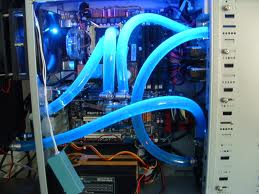
My only comment would be, that it is important not to immerse HDD's into anything, although SDD's might be OK.
I think I read this somewhere as well, and I'll be doing much more research on the oil computer before submerging two grand of hardware in it

Want the 'takes no prisoners' best video card for a game like Skyrim? Not just power but vram, the 7970s are currently the big cheese on that front and the cards I'm using were the ones before them. The biggest question you'll want to answer though before any sort of preceeding is what are you going to make that computer display upon? A single run of the mill monitor, or something cooler. Oh and whether you're already got your display or whether that's factoring into things too.
ED: I'd also strongly recommend that if you're going to an open forum to ask questions about parts for an elite system: Do not look at taking all of that and submerging it in some sort of liquid, leave that for when you're *really* comfortable with these sorts of things and you don't mind throwing all of that money away if you accidentally do something wrong

Currently I have a 20 inch Samsung 1080p monitor as well as a 46 in. Samsung 1080p that I use on occasion, so the display is taken care of.
If you've never built a PC, don't start out with a submerged oil-cooler. They look cool and run cool, but it's DEFINITELY not for your first time out.
Rules of thumb:
1. Buy current technology, not latest-greatest technology. You'll save a fortune, skip dealing with bugs (cougar point chipset issues, anyone) and have most of the capability (and probably all the capability you need). A GTX 590 is badass, but not as badass as the 2 GTX 570s you can buy for the same price.
2. Read until you know enough, then read that much again. Reading is free; shipping back the AMD mobo (motherboard) you bought for your Intel CPU is not.
3. Pick what you'll prioritize. If you can keep your old system for storing photos, email, word processing and all that, you can build a system JUST for gaming. That would let you, say, buy a single SSD and not also need a HDD, saving you money without giving you a gaming performance hit.
4. Don't overclock unless you have to (or really, really REALLY want to). If you must, do NOT skimp on your memory, motherboard or especially on your power supply unit (PSU). NEVER OVERCLOCK WITH A STOCK COOLING SYSTEM; there are rare exceptions, but you'll get more longevity and performance with better cooling, anyway. Also, do NOT attempt an overclock until you've played with the stock timing of whatever component you're dying to fry and decided that it must be pushed beyond what the warranty allows. Finally, if you MUST OC, TAKE IT SLOW, READ A GOOD GUIDE, TAKE IT SLOW AND DON'T SKIP ANY STEPS. Also remember to take it slow.
5. Get a UPS (Uninterruptable Power Supply). If you don't know, it's a surge protector that protects you against power fluctuations both up AND down, and it's those down (brown flashes) that will murder your equipment. You don't need a $500 unit that lets you game a full year after a nuclear apocolypse, but you will want enough time to save what you're doing and shut down normally. Mine cost $60 and has saved me twice in 1 year. It doesn't make sense to fry a $2500 comp just to try and save $60.
All that being said, I'm familiar with Intel/Nvida so I'd look in to a second-gen (socket 1155) core i5 or i7 CPU, 2x GTX 570s (with the most memory you can find), a good SSD (last time I looked Intel was king of the quality hill here, but floods in the Phillipines may keep you from getting one), a Seasonic Gold or Platinum 800+ watt system (the best quality available in PSUs, IMO) and a quality mobo that has all the features you need. The ATI cards are badass too (and probably better), but I'm not familiar with them so I won't use them in this example. There's newer tech out there, but it's outrageously expensive and you won't even be maxing this rig for at LEAST a couple years, unless some unknown developer bucks the industry wisdom and pulls a Crysis on us. Even if you don't plan on overclocking, I'd encourage you to put a better cooler on your CPU, just because it's so easy, affordable and another way to protect the heart of your investment.
Do your own research, and remember that what you often get for spending hundreds more on something that's brand new as opposed to pretty new is just incremental improvement. Also keep in mind that most big developers are building games to the capabilities of consoles, and we won't see the next generation of consoles for a year or two. Even then, a modern system built in the next couple months should at least be on par with them, and with your budget you should be able to exceed them easily.
This is useful. I should have made it clear that I've built every desktop PC I've ever owned (and as a rule by Mac's for laptops) which is why I'm thinking about taking it one step further and doing something crazy with the mineral oil. Its just that its been literally more than a decade since I've done this. I still retain the skills, I just am not up to date on the tech
I'm building this rig specifically for gaming and keep all of my personal things on my laptop as I travel a lot. I don't plan on Overclocking (I never got into this fad), a UPS is a given it seems. From the small amount I've read about them it looks like I'll be taking some serious looks at a high end i7. Intel isn't going to come out with an i9 in 3 months are they?
I made a similar thread recently and got a lot of decent feedback, the PC i have listed in it that i will build soon will run any game today on Ultra and for the next couple years with no problems at all. http://www.gamesas.com/topic/1337732-cpu-speed-and-performance/ This setup will be around $1200-$1300 but if you wanted to spend more you could upgrade the CPU to the i7 2500k, the GPU to the 580GTX 3g put the extra 8g of ram to make a total of 16g and add a SSD to hold your OS and prime games, this should be future proof for years to come and still stay under $2000. Just my opinion.
I'll take a look at it! Thanks for the link


 » Tue May 29, 2012 11:18 am