GTX 460 1GB + Quad Core + 8GB RAM - So why does Skyrim have

Post » Thu May 31, 2012 9:49 am

Hi guys
I have a huge annoyance (like many others) - Skyrim has lag spikes.

None of the fixes I found online have worked so far.

I have an AMD Phenom II X4 3.2Ghz
GeForce GTX 460 1GB 192bit version
8GB RAM

I feel like I should be able to play it on High (even Ultra) settings without the lag, just different FPS.
It happens especially when I move the mouse around to look at the scenery (I play 3rd person)
But sometimes even when just running in straight line.

FPS drops suddenly, it's like a hiccup. Then it continues fine.
I tried it just for kicks on Low settings and it didn't have the problem, but I just can't believe high settings would cause such lag spikes, I feel like my system is pretty decent.

I'm going crazy editing the inis back and forth.
And I see vids on YouTube of ppl with similar builds and they have no lag in the videos whatsoever.

The reason why I started a new topic with this problem that's common among many is that I'm hoping that maybe someone with a similar build can show me their ini's?
If they don't have lag spikes that is. :smile:

Or if someone knows what is the main problem?

I attached my ini's for reference

Skyrim.ini
[General]sLanguage=ENGLISHsIntroSequence=uGridsToLoad=7uExterior Cell Buffer=64[Display]fShadowLODMaxStartFade=1000.0fSpecularLODMaxStartFade=2000.0fLightLODMaxStartFade=3500.0iShadowMapResolutionPrimary=2048bAllowScreenshot=1fSunShadowUpdateTime=0.01fSunUpdateThreshold=0.5fDefaultWorldFOV=67fDefault1stPersonFOV=67[Audio]fMusicDuckingSeconds=6.0fMusicUnDuckingSeconds=8.0fMenuModeFadeOutTime=3.0fMenuModeFadeInTime=1.0[Grass]bAllowCreateGrass=1bAllowLoadGrass=0iMinGrassSize=30[GeneralWarnings]SGeneralMasterMismatchWarning=One or more plugins could not find the correct versions of the masterfiles they depend on. Errors may occur during load or game play. Check the "Warnings.txt" file for more information.[Archive]sResourceArchiveList=Skyrim - Misc.bsa, Skyrim - Shaders.bsa, Skyrim - Textures.bsa, Skyrim - Interface.bsa,Skyrim - Animations.bsa, Skyrim - Meshes.bsa, Skyrim - Sounds.bsasResourceArchiveList2=Skyrim - Voices.bsa, Skyrim - Voicesixtra.bsa[Combat]fMagnetismStrafeHeadingMult=0.0fMagnetismLookingMult=0.0[Camera]fOverShoulderAddY=0.0000fOverShoulderPosZ=10.0000fOverShoulderPosX=0.0000fOverShoulderCombatAddY=0.0000fOverShoulderCombatPosZ=10.0000fOverShoulderCombatPosX=0.0000fVanityModeMinDistudNIF=0[Water]bReflectLODObjects=1bReflectLODLand=1bReflectSky=1bReflectLODTrees=1bReflectExplosions=0[Papyrus]fPostLoadUpdateTimeMS=500.0bEnableLogging=0bEnableTrace=0bLoadDebugInformation=0bRunHighLevelProcess=1iMinMemoryPageSize=100000iMaxMemoryPageSize=5000000iMaxAllocatedMemoryBytes=1800000000


SkyrimPrefs.ini
[General]fBrightLightColorB=1.0000fBrightLightColorG=1.0000fBrightLightColorR=1.0000iStoryManagerLoggingEvent=-1bEnableStoryManagerLogging=0[Imagespace]bDoDepthOfField=1iRadialBlurLevel=0[Display]iBlurDeferredShadowMask=6fInteriorShadowDistance=2000.0000fShadowDistance=4000.0000iShadowMapResolutionSecondary=1024iShadowMapResolutionPrimary=1024iShadowSplitCount=2iMaxAnisotropy=1fLeafAnimDampenDistEnd=4600.0000fLeafAnimDampenDistStart=3600.0000fTreesMidLODSwitchDist=25000.0000fGamma=1.0000iShadowFilter=3fDecalLOD2=1500.0000fDecalLOD1=1000.0000fSpecularLODStartFade=3500.0000fShadowLODStartFade=400.0000fLightLODStartFade=3500.0000iTexMipMapMinimum=0iTexMipMapSkip=0bTransparencyMultisampling=0iWaterMultiSamples=0iMultiSample=4iShadowMode=3bTreesReceiveShadows=1bDrawLandShadows=0bDrawShadows=1bFull Screen=1iSize H=900iSize W=1600fMeshLODFadePercentDefault=1.2000fMeshLODFadeBoundDefault=256.0000fMeshLODLevel2FadeTreeDistance=12048.0000fMeshLODLevel1FadeTreeDistance=12844.0000fMeshLODLevel2FadeDist=10000000.0000fMeshLODLevel1FadeDist=10000000.0000iScreenShotIndex=2bShadowMaskZPrepass=0bMainZPrepass=0iMaxSkinDecalsPerFrame=25iMaxDecalsPerFrame=100sD3DDevice="NVIDIA GeForce GTX 460 v2"bFXAAEnabled=1iShadowMapResolution=512fShadowBiasScale=0.6000iShadowMaskQuarter=4iAdapter=0iPresentInterval=1bFloatPointRenderTarget=1[Grass]b30GrassVS=1fGrassStartFadeDistance=7000.0000fGrassMaxStartFadeDistance=7000.0000fGrassMinStartFadeDistance=0.0000[Water]iWaterReflectHeight=512iWaterReflectWidth=512bUseWaterDisplacements=1bUseWaterRefractions=1bUseWaterReflections=1bUseWaterDepth=1[MAIN]bGamepadEnable=0bCrosshairEnabled=0fHUDOpacity=1.0000bSaveOnPause=1bSaveOnTravel=1bSaveOnWait=1bSaveOnRest=1fSkyCellRefFadeDistance=150000.0000[GamePlay]bShowFloatingQuestMarkers=1bShowQuestMarkers=1iDifficulty=2[Interface]bDialogueSubtitles=0bGeneralSubtitles=0fMouseCursorSpeed=1.0000bShowCompass=1[Controls]fGamepadHeadingSensitivity=0.0000fMouseHeadingSensitivity=0.0125bAlwaysRunByDefault=1bInvertYValues=0bGamePadRumble=0bMouseAcceleration=1[Particles]iMaxDesired=750[SaveGame]fAutosaveEveryXMins=15.0000[AudioMenu]fAudioMasterVolume=1.0000fVal7=1.0000uID7=0fVal6=1.0000uID6=0fVal5=1.0000uID5=0fVal4=1.0000uID4=0fVal3=1.0000uID3=94881fVal2=0.4000uID2=466532fVal1=1.0000uID1=554685fVal0=0.8000uID0=1007612[Clouds]fCloudLevel2Distance=262144.0000fCloudLevel1Distance=32768.0000fCloudLevel0Distance=16384.0000fCloudNearFadeDistance=9000.0000[TerrainManager]fTreeLoadDistance=55000.0000fBlockMaximumDistance=150000.0000fBlockLevel1Distance=50000.0000fBlockLevel0Distance=35000.0000fSplitDistanceMult=1.5000bShowLODInEditor=0[NavMesh]fObstacleAlpha=0.5000fCoverSideHighAlpha=0.8000fCoverSideLowAlpha=0.6500fEdgeFullAlpha=1.0000fEdgeHighAlpha=0.7500fEdgeLowAlpha=0.5000fTriangleFullAlpha=0.7000fTriangleHighAlpha=0.3500fTriangleLowAlpha=0.2000fLedgeBoxHalfHeight=25.0000fEdgeDistFromVert=10.0000fEdgeThickness=10.0000fPointSize=2.5000[Trees]bRenderSkinnedTrees=1uiMaxSkinnedTreesToRender=40[Decals]uMaxDecals=1000bDecals=1bSkinnedDecals=1uMaxSkinDecals=100uMaxSkinDecalsPerActor=60[LOD]fLODFadeOutMultObjects=12.0000fLODFadeOutMultItems=12.0000fLODFadeOutMultActors=12.0000fLODFadeOutMultSkyCell=1.0000[Launcher]bEnableFileSelection=1bShowAllResolutions=1uLastAspectRatio=3[BlurShaderHDR]bDoHighDynamicRange=1[BlurShader]bUseBlurShader=0

User avatar
Lou
 
Posts: 3518
Joined: Wed Aug 23, 2006 6:56 pm

Post » Thu May 31, 2012 12:01 pm

What fixes have you tried so far?
User avatar
Soku Nyorah
 
Posts: 3413
Joined: Tue Oct 17, 2006 1:25 pm

Post » Thu May 31, 2012 12:16 pm

Are you just starting skyrim for the first time, or have you been playing for awhile and now all of a sudden these spikes occurred?
If its a fresh start these forums will become your biggest read, however if this is a new issue after playing for quite some time, odds are it has nothing to with your more than adequate hardware but, like me, bloated save files are the likely culprit.
I've spent almost three weeks trying to figure out what was wrong or what hardware was dying before finally realizing how large my save file have gotten. I was able verify this, in my case at least, by reinstalling skyrim and all my mods and doing a trial start over and found the freezes or lag spikes gone.
User avatar
Nany Smith
 
Posts: 3419
Joined: Sat Mar 17, 2007 5:36 pm

Post » Thu May 31, 2012 5:54 am

Well I have played it for a while. I have been changing stuff constantly - mods, ini settings etc, so I can't tell you exactly when the problems started (especially cause I stopped playing for a while in favor of ME3)
But now I'm with a new character and he's just past the first visit to Whiterun. Are you saying the other save files in the folder are causing issues? I'm gonna delete them and see if it helps.
I did reinstall the game right before this new character.
The lag spikes (which as I said are like hiccups for me - the game freezes for a second, fps drops then it continues at full speed) happen mostly when I look around fast or when I run places.
User avatar
Scott
 
Posts: 3385
Joined: Fri Nov 30, 2007 2:59 am

Post » Thu May 31, 2012 3:18 pm

Are you using the Bethesda HD texture pack? If you are using it then it is more than likely causing your problem & it's purely a vram issue, Not enough of it on a 1Gb 460.
The vram usage on my 6970 can hit 1.6Gb & averages about 1.2-1.3Gb in most area's, Using a Ugrids of 7 will not make life any easier.

If you are not using the Bethesda texture pack try reverting the Ugrids back to 5 & keeping AA at no more than x2.
User avatar
Robert
 
Posts: 3394
Joined: Sun Sep 02, 2007 5:58 am

Post » Thu May 31, 2012 5:15 am

Friend, the 192-bit GTX 460 is the 'neutered' one.
A real GTX 460 has 256-bit memory giving 120 GB/s + video memory bandwidth.
No, you should not run any high-def texture pack.
Skyrim should run okay for you in native resolution, no AA, 8x AF and High settings (maybe with viewing distances dragged to maximum).
Ultra settings would be inappropriate!

Run the Metro2033 or STALKER-COP benchmarks, and take careful note of your minimum framerates.
To prevent minimums ever going below 30 fps, you must select extremely conservative settings...
If you max everything out, DX11 etc. plus effects, you'll see you will be lucky to achieve 60 fps as a maximum.
Different games I know, but a smooth high framerate is also required to fully enjoy playing Skyrim.

And I certainly hope you have not changed uGrids from the default, LoL
Your rig is not up to it at all.
Your vidcard should be able to play the vanilla though (with conservative/default settings).
User avatar
Schel[Anne]FTL
 
Posts: 3384
Joined: Thu Nov 16, 2006 6:53 pm

Post » Thu May 31, 2012 6:55 pm

As others have said, you need more than 1GB VRAM to play the official hd pack well.
User avatar
Lynette Wilson
 
Posts: 3424
Joined: Fri Jul 14, 2006 4:20 pm

Post » Thu May 31, 2012 9:05 am

yup.... even 2gb VRAM isn't enough for ALL the bells and whistles enabled without getting into FSAA or forcing triple buffering.... which consumes even more.

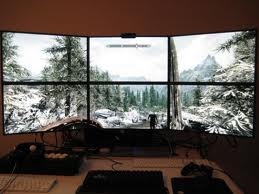
I would not be surprised to see Skyrim consume 3gb+ of vram with a triple or more screen solutions.... I myself constantly float at 2gb vram usage with my eyefinity setup and i'm only running 2x FSAA due to running out of vram resulting in the stuttering or significant impact to my fps if i got one notch higher.
User avatar
katsomaya Sanchez
 
Posts: 3368
Joined: Tue Jun 13, 2006 5:03 am

Post » Thu May 31, 2012 7:14 pm

I have an AMD Phenom II X4 3.2Ghz
GeForce GTX 460 1GB 192bit version
8GB RAM

I feel like I should be able to play it on High (even Ultra) settings without the lag, just different FPS.

Not with that GPU. You get what you pay for. Also, I'm not sure what "without the lag, just different FPS" is supposed to mean. As you described it, your "lag" is simply your frame rate dropping dramatically, so they are one and the same. You're not trying to benchmark your system by looking at a demanding scene (e.g. the gildergreen in Whiterun viewed from Dragonsreach). You're experiencing a performance hit when you change your bearing. This is an obvious sign of the GPU acting as a bottleneck.
User avatar
Stephy Beck
 
Posts: 3492
Joined: Mon Apr 16, 2007 12:33 pm

Post » Thu May 31, 2012 10:13 am

I'm running a 1GB GTX 460 (the original version with 256-bit memory) and it works fine with the official HD texture pack from Bethesda. Haven't tried loading any additional high-resolution texture packs though.

I'm running a Phenom II X4 955 @ 3.7 GHz and 4GB of DDR2 RAM. I'm also running Skyrim from an OCZ SSD, which might make a difference. While Skyrim stuttered a bit before version 1.3, it is now ridiculously smooth at all times. Here are some shots I grabbed just now:
http://imageshack.us/f/824/tesv2012033122532590.jpg/
http://imageshack.us/f/813/tesv2012033122534657.jpg/
http://imageshack.us/f/13/tesv2012033122542199.jpg/

I would suggest deleting all your .ini's to let Skyrim rebuild them, since all your tweaking as probably done more harm than good. I don't think -500 MHz and your 192-bit instead of 256-bit memory interface should make that much of a difference. Maybe the SSD does however. If so, maybe look into getting one. 128GB is pretty affordable these days and that's enough for Windows and a few games.

I have the quality set to Ultra, with a few exceptions:
-Shadow quality is reduced to "High" since I got some mouse lag in dungeons at Ultra.
-Anti-Aliasing is turned off. I have only enabled FXAA. This saves a lot of VRAM and looks almost as good.

In ini files, these are my only tweaks:
iBlurDeferredShadowMask=32 for smoother, more natural shadows
bTreesReceiveShadows=1, bDrawLandShadows=1 for the improvement to the depth of the landscape, with almost no performance hit.
FOV is changed to 85 so I don't suffer from motion sickness when playing the game
User avatar
Myles
 
Posts: 3341
Joined: Sun Oct 21, 2007 12:52 pm

Post » Thu May 31, 2012 8:17 pm

In my opinon vram has nothing to do with HD texture pack and ultra, I have been running the HD pack and ultra settings since November release and have no issues. I have heard in the forum lots of times about 1GB of vram not being enough for HD texture pack and video memory over run and system ram being used in place of vram etc.. I believe the OP issues is something entirely different.... I dont know but if I can run on HD texture and Ultra with 1GB then anyone can..... its not vram issues.It is background programs, Antivirus, programs in starup folder, RAM issues, overclock that is not stable.
User avatar
Hilm Music
 
Posts: 3357
Joined: Wed Jun 06, 2007 9:36 pm


Return to V - Skyrim