
Not HD textures, no scripts, nothing - crash crash crash when outside.
Amazing.
 » Wed May 30, 2012 9:15 pm

» Thu May 31, 2012 12:27 am

» Wed May 30, 2012 5:13 pm
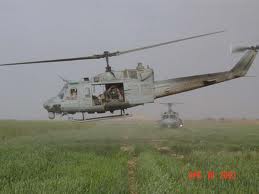
» Wed May 30, 2012 9:33 am
» Wed May 30, 2012 8:32 pm

» Wed May 30, 2012 4:03 pm


» Wed May 30, 2012 5:36 pm

» Wed May 30, 2012 10:33 pm

» Thu May 31, 2012 1:40 am

» Wed May 30, 2012 6:15 pm

» Wed May 30, 2012 9:03 am

» Wed May 30, 2012 10:40 pm

» Wed May 30, 2012 2:51 pm
» Wed May 30, 2012 8:53 pm
» Wed May 30, 2012 8:12 pm

» Wed May 30, 2012 10:56 pm

» Wed May 30, 2012 2:19 pm

» Wed May 30, 2012 3:13 pm

» Wed May 30, 2012 8:06 pm

» Thu May 31, 2012 12:16 am

» Thu May 31, 2012 12:13 am

» Wed May 30, 2012 2:12 pm
» Wed May 30, 2012 3:03 pm

» Wed May 30, 2012 8:05 pm

» Wed May 30, 2012 5:46 pm
