Nearly Impossible to Read Forums - What can I do?

Post » Mon Jun 04, 2012 1:04 am

Not sure if this post should go here, but its about these forums in particular. I registered for this forum a few days ago and I enjoy the increased functionality in general, but its so hard to read posts anymore.

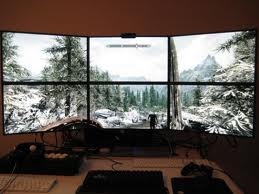
All I get is that background image with smoke surrounding the Nord Warrior wearing his horned helmet, and white text over it. Obviously with the white smoke in the background, white text is very hard to read. I find myself selecting the text I want to read to save my eyes.

What's weird is that I don't think its supposed to be this way. When I click on a new thread it loads up with that background image mostly covered by a black field that all the text from the posts sit on. However after about 2 seconds once I open a new thread, the black field disappears and that text goes back to sitting on just the "Nord Warrior" image and becomes very hard to read.

Its not like that when someone uses a quote in their reply, then I get a nice dark grey box that the quote text is sitting on. But the normal posts are not that way because the black background disappears for me every time shortly after opening a thread.

I tried looking in profile settings but didn't see anything related to this issue. Does anyone know whats going on and how I can fix it? This really does not seem to be working as intended...

User avatar
Tracey Duncan
 
Posts: 3299
Joined: Wed Apr 18, 2007 9:32 am

Post » Mon Jun 04, 2012 3:53 am

It certainly sounds like you're having a wildly different experience to me. Have you tried a different web browser?
User avatar
ILy- Forver
 
Posts: 3459
Joined: Sun Feb 04, 2007 3:18 am

Post » Mon Jun 04, 2012 7:44 am

A quick fix would be to highlight everything? LOL. no idea about the problem though.
User avatar
Jimmie Allen
 
Posts: 3358
Joined: Sun Oct 14, 2007 6:39 am

Post » Mon Jun 04, 2012 3:38 am

Try changing the theme to the default IPB one. It's a lot better for me.
User avatar
xemmybx
 
Posts: 3372
Joined: Thu Jun 22, 2006 2:01 pm

Post » Sun Jun 03, 2012 9:14 pm

They just updated the forums yesterday. It's possible your browser doesn't support the new format because it's not up to date. Go to your browser's website and update to the latest version available and report back.
User avatar
Kayla Keizer
 
Posts: 3357
Joined: Tue Dec 12, 2006 4:31 pm

Post » Mon Jun 04, 2012 3:35 am

Quite funny, cause it looks real nice on my phone, white background, black letters.. New layout, simply niiiice
User avatar
SEXY QUEEN
 
Posts: 3417
Joined: Mon Aug 13, 2007 7:54 pm

Post » Mon Jun 04, 2012 5:54 am

The forums were updated yesterday. http://www.gamesas.com/topic/1320372-report-update-issues-here-dec2011/page__st__60

Which theme are you using?
User avatar
Cathrin Hummel
 
Posts: 3399
Joined: Mon Apr 16, 2007 7:16 pm

Post » Mon Jun 04, 2012 12:39 am

I really have no idea what theme I'm using or how to change it, I don't see anything about that under my profile settings. :blush:

I'm using IE at work here, I'll update and see if that helps. Thanks for the tip about the browsers just being updated.
User avatar
Lynette Wilson
 
Posts: 3424
Joined: Fri Jul 14, 2006 4:20 pm

Post » Mon Jun 04, 2012 3:42 am

I'm experiencing the same problem as the OP. I assumed it was my outdated browser (can't update since it's a work-related laptop) but if anyone has a fix beyond "just update your browser" please post. Thanks.
User avatar
Lauren Graves
 
Posts: 3343
Joined: Fri Aug 04, 2006 6:03 pm

Post » Sun Jun 03, 2012 8:37 pm

To add my 2 cents worth, I'm not loving the new text, it's very hard to read especially on the posts page, it looks like a big blur.
User avatar
Eddie Howe
 
Posts: 3448
Joined: Sat Jun 30, 2007 6:06 am

Post » Mon Jun 04, 2012 2:31 am

Just a bump here for everyone else having issues reading the forums. I figured out where you can change your "theme" as others alluded to. You click on the My Profile section and then scroll all the way down, on the very bottom left of the page is a teeny tiny hyperlink that says Change Theme. Not sure why its so well hidden, but its there. I went to the standard IP Board and now have white background with black font and everything is groovy again. Cheers!
User avatar
Rex Help
 
Posts: 3380
Joined: Mon Jun 18, 2007 6:52 pm

Post » Mon Jun 04, 2012 3:59 am

Ah, much better.. Thanks! I looked through the profile but assumed the board style would be referenced somewhere obvious.
User avatar
Sophh
 
Posts: 3381
Joined: Tue Aug 08, 2006 11:58 pm


Return to V - Skyrim