New Nvidia drivers 301.42 brought back Ambient Occlusion but

Post » Fri Jun 01, 2012 9:15 am

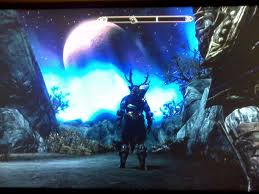
Okay, the new Nvidia 301.42 drivers did bring back Ambient Occlusion for me in Skyrim. But it's so ugly :(
In a still shot it all looks very pretty. But as soon as I start moving, the shadows are all "stuttering". It looks like all the shadows (especially grass and bushes) are moving wildly in a kind if very fast micro stutter. This also effects the bigger shadows like corners of a building. This was not so before the 1.5 patch, there it all looked fluid.
So, AO is back but it has become very, very ugly when moving.
No shadow mods running or what ever.

User avatar
Taylrea Teodor
 
Posts: 3378
Joined: Sat Nov 18, 2006 12:20 am

Post » Fri Jun 01, 2012 2:00 pm

Did you tweak your INI files?
User avatar
Latisha Fry
 
Posts: 3399
Joined: Sat Jun 24, 2006 6:42 am

Post » Fri Jun 01, 2012 8:21 am

Yes. But I did try already with ini-files generated by the game itself (so non tweaked) and that gave the same result.
User avatar
neil slattery
 
Posts: 3358
Joined: Wed May 16, 2007 4:57 am

Post » Fri Jun 01, 2012 1:10 pm

Drivers didn't do anything for me, AO still pops in and out at nearly evey angle.
User avatar
+++CAZZY
 
Posts: 3403
Joined: Wed Sep 13, 2006 1:04 pm

Post » Fri Jun 01, 2012 4:35 am

Not seeing it at all. Quality, Performance, High Quality, Off. All look the same to me whether through Control Panel or Inspector. With new drivers. Just got it working by using compatability setting for Fallout 3 in Inspector. Dark, but it's not flickering, looks pretty close to what it was before the patch took it away. I think the dark shadow is because I have an IPS monitor now, better black levels.
User avatar
Dagan Wilkin
 
Posts: 3352
Joined: Fri Apr 27, 2007 4:20 am

Post » Fri Jun 01, 2012 10:07 am

We need to pick a good spot for an AO screenshot and then compare.
User avatar
BaNK.RoLL
 
Posts: 3451
Joined: Sun Nov 18, 2007 3:55 pm

Post » Fri Jun 01, 2012 3:22 am

I've updated the driver. I should have taken before and after pics. But well, my outdoor shadows are much better. That black mass of shadowed grass under trees which bothered me so much before seems to have been fixed. I have AO enabled on Quality. I think AO IS working as intended but I need more time to check details. Vanilla INI by the way.
User avatar
Fanny Rouyé
 
Posts: 3316
Joined: Sun Mar 25, 2007 9:47 am

Post » Fri Jun 01, 2012 11:33 am

[img]http://i190.photobucket.com/albums/z222/Majic7_photo/TESV_2012_05_24_02_06_29_621.jpg[/img] Here is what it looks like using Fallout 3 compatability. // This is Fallout 3 compatability. Don't know if you can see it but GPU usage is 98% and framerate is about 45.IMG]http://i190.photobucket.com/albums/z222/Majic7_photo/TESV_2012_05_24_03_40_15_444.jpg[/IMG] // This is with Skyrim compatability. GPU usage is 82% and framerates are 60. [IMG]http://i190.photobucket.com/albums/z222/Majic7_photo/TESV_2012_05_24_03_38_26_070.jpg[/IMG]

Gave up on AO. Still see no change with it off or on with Skyrim compatability and it is too much of a performance drag with Fallout 3 compatability. It also has shadow glitches on distant buildings.
User avatar
Christie Mitchell
 
Posts: 3389
Joined: Mon Nov 27, 2006 10:44 pm

Post » Fri Jun 01, 2012 1:38 am

@ Majic7
My game with specific Skyrim AO enabled looks like your screenshot 2 when not moving. But when moving, all the shadows are going crazy. Will make a video of it.
But giving up here too ... AO and the whole shadow thing. I mean, tweaking your game is fun, but a basic thing like shadows should have been already been fixed ingame a long, looooong time ago.
User avatar
Jade Payton
 
Posts: 3417
Joined: Mon Sep 11, 2006 1:01 pm

Post » Fri Jun 01, 2012 11:58 am

https://sites.google.com/site/schnorgldorf/home/AOslide2.gif?attredirects=0
User avatar
Czar Kahchi
 
Posts: 3306
Joined: Mon Jul 30, 2007 11:56 am

Post » Fri Jun 01, 2012 1:05 pm

Well I have just updated and I'm using performance AO with a GTX 550ti, and something is different, and (currently) in a good way.
User avatar
Laura Samson
 
Posts: 3337
Joined: Wed Aug 29, 2007 6:36 pm

Post » Fri Jun 01, 2012 7:15 am

Did try Oblivion compatibility. Works weird, it's like you have a zone of AO about 30 feet around you. You can see the AO coming on as you walk. My shadow problem on distant buildings with Fallout 3 compatibility almost looks like z fighting. You only see it when you are moving and flashes at just about the same rate.

ShootnCrash, do you have any exterior shots with AO? Because many have reported the AO has always worked in interiors, even after the patch.
User avatar
Mr. Ray
 
Posts: 3459
Joined: Sun Jul 29, 2007 8:08 am

Post » Fri Jun 01, 2012 2:29 pm

https://sites.google.com/site/schnorgldorf/home/AOslide_out.gif?attredirects=0

I think the Fallout 3 AO looks a bit better.
User avatar
OnlyDumazzapplyhere
 
Posts: 3445
Joined: Wed Jan 24, 2007 12:43 am

Post » Fri Jun 01, 2012 3:07 am

Wonder why my system doesn't work at all with Skyrim compatibility? Maybe it's a SLI thing, but I'm married to it with the monitor I am using now. The fallout 3 does look nice on my system, too bad about the shadow thing. What is odd is that my framerates and GPU usage return to near normal as long as I am not looking at trees and bushes.

Nuts, it is a SLI thing. Skyrim comp. does work with only one card.
User avatar
Cartoon
 
Posts: 3350
Joined: Mon Jun 25, 2007 4:31 pm

Post » Fri Jun 01, 2012 1:16 pm

iBlurDeferredShadowMask=4 needs to be set to 0 in the prefs ini for AO to be activated (iBlurDeferredShadowMask=0)
User avatar
latrina
 
Posts: 3440
Joined: Mon Aug 20, 2007 4:31 pm

Post » Fri Jun 01, 2012 11:50 am

iBlurDeferredShadowMask=4 needs to be set to 0 in the prefs ini for AO to be activated (iBlurDeferredShadowMask=0)

my iBlurDeferredShadowMask is at 4 and you can see in my examples AO is activated.
User avatar
Roisan Sweeney
 
Posts: 3462
Joined: Sun Aug 13, 2006 8:28 pm

Post » Fri Jun 01, 2012 4:26 am

The ShadowMask ini change does work. Lets me run AO with SLI enabled, but it still runs like crap. Interiors with or without SLI are choppy and unplayable. Never did go inside before when I was testing before but I think that would have ended the experiment right there. I will have to wait until a Beth patch fixes AO or live without it.
User avatar
Angela
 
Posts: 3492
Joined: Mon Mar 05, 2007 8:33 am

Post » Fri Jun 01, 2012 10:37 am

The ShadowMask ini change does work. Lets me run AO with SLI enabled, but it still runs like crap. Interiors with or without SLI are choppy and unplayable. Never did go inside before when I was testing before but I think that would have ended the experiment right there. I will have to wait until a Beth patch fixes AO or live without it.
you mean set at 0?

You have a killer rig too, this is just wrong and frustrating.
User avatar
Natasha Callaghan
 
Posts: 3523
Joined: Sat Dec 09, 2006 7:44 pm

Post » Fri Jun 01, 2012 2:39 pm

Just switched to ENB AO. Looks great. Minimal frame loss.
User avatar
Talitha Kukk
 
Posts: 3477
Joined: Sun Oct 08, 2006 1:14 am

Post » Fri Jun 01, 2012 10:48 am

NV-AO seems to be working for me too right now, outside as well as inside. (GTX 560 TI 1,2GBVRAM). :run:
User avatar
Petr Jordy Zugar
 
Posts: 3497
Joined: Tue Jul 03, 2007 10:10 pm


Return to V - Skyrim