Zoom out on in 3rd person view

Post » Tue Jun 12, 2012 5:49 pm

A question that I don't know if it has been answered:

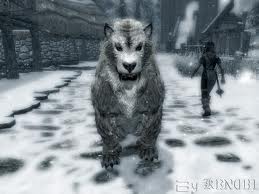
when you play in 3rd person view on xbox and have your weapons sheathed (I like to play that way) can you zoom out in some way? I think the character is to close, half the screen is the back of my character. Can you zoom out in some way? I have noticed that when you have your weapons drawn you get a better view, which have made me running around with my bow in hand all the time.

Can you zoom out the 3rd person view when weapons down on xbox?
User avatar
Nadia Nad
 
Posts: 3391
Joined: Thu Aug 31, 2006 3:17 pm

Post » Wed Jun 13, 2012 1:06 am

A question that I don't know if it has been answered:

when you play in 3rd person view on xbox and have your weapons sheathed (I like to play that way) can you zoom out in some way? I think the character is to close, half the screen is the back of my character. Can you zoom out in some way? I have noticed that when you have your weapons drawn you get a better view, which have made me running around with my bow in hand all the time.

Can you zoom out the 3rd person view when weapons down on xbox?

Ah. That's not actually supposed to happen.

If you're walking around and the 3rd person view doesn't really show much below your character waistline (Kinda like the camera is trying to view over your shoulder?) this is actually a BUG.

I have no 100% method for it, but it happened with a couple of my characters. You'll notice that when you crouch without your weapons out, and rotate the camera to face you, your face is HUGE, and sometimes even clips THROUGH the camera.

It's not supposed to do this.

I think it has something to do with sneaking while opening doors to load in new areas. Something goes wrong occasionally which monkeys with camera distance.

Start a new game for comparison. You'll notice that when you're able to go into 3rd person, inside Helgen Keep, the camera is MUCH further out.

If anybody knows of a fix for this I'd be grateful. Because I've not found one yet.

And yes, I'm also playing on Xbox 360.

User avatar
OJY
 
Posts: 3462
Joined: Wed May 30, 2007 3:11 pm

Post » Wed Jun 13, 2012 12:27 am

Press and hold the right stick, and move the left stick up and down to zoom in and out.
User avatar
Brooks Hardison
 
Posts: 3410
Joined: Fri Sep 07, 2007 3:14 am

Post » Tue Jun 12, 2012 4:23 pm

Press and hold the right stick, and move the left stick up and down to zoom in and out.

Push IN the Right Stick?
User avatar
Imy Davies
 
Posts: 3479
Joined: Fri Jul 14, 2006 6:42 pm

Post » Tue Jun 12, 2012 4:30 pm

Press the right stick in the move the camera out with the left, Helpful if your a werewolf aswell.
User avatar
Nathan Hunter
 
Posts: 3464
Joined: Sun Apr 29, 2007 9:58 am

Post » Tue Jun 12, 2012 2:01 pm

Push IN the Right Stick?

Yes.
User avatar
Laurenn Doylee
 
Posts: 3427
Joined: Sun Dec 03, 2006 11:48 am

Post » Tue Jun 12, 2012 10:27 pm

You can use this as a freelook when weapons are drawn in third person as well, just keep that right stick held in and look around.
User avatar
Andy durkan
 
Posts: 3459
Joined: Fri Aug 03, 2007 3:05 pm

Post » Wed Jun 13, 2012 12:53 am

Ah. That's not actually supposed to happen.

If you're walking around and the 3rd person view doesn't really show much below your character waistline (Kinda like the camera is trying to view over your shoulder?) this is actually a BUG.


Yes! Exactly like this. I have only played with two characters so far and it's the same with both. But I will try the hold right stick thingy. Thanks!
User avatar
Flash
 
Posts: 3541
Joined: Fri Oct 13, 2006 3:24 pm

Post » Tue Jun 12, 2012 6:06 pm

Ah. That's not actually supposed to happen.

If you're walking around and the 3rd person view doesn't really show much below your character waistline (Kinda like the camera is trying to view over your shoulder?) this is actually a BUG.

I have no 100% method for it, but it happened with a couple of my characters. You'll notice that when you crouch without your weapons out, and rotate the camera to face you, your face is HUGE, and sometimes even clips THROUGH the camera.

It's not supposed to do this.

I think it has something to do with sneaking while opening doors to load in new areas. Something goes wrong occasionally which monkeys with camera distance.

Start a new game for comparison. You'll notice that when you're able to go into 3rd person, inside Helgen Keep, the camera is MUCH further out.

If anybody knows of a fix for this I'd be grateful. Because I've not found one yet.

And yes, I'm also playing on Xbox 360.

it's funny how people calls everything a bug nowadays
User avatar
lydia nekongo
 
Posts: 3403
Joined: Wed Jul 19, 2006 1:04 pm

Post » Wed Jun 13, 2012 1:50 am

Wait, isn't it press & hold the LEFT stick (L3) and use the RIGHT stick up/down to zoom in/out?

Granted I don't remember exactly.
User avatar
Scared humanity
 
Posts: 3470
Joined: Tue Oct 16, 2007 3:41 am

Post » Wed Jun 13, 2012 4:39 am

it's funny how people calls everything a bug nowadays

Well, it IS a bug. :)

The camera gets stuck, and stays that way for the rest of your game. The camera clearly is not supposed to get stuck away from its default position. It's not designed to happen that way.

I'll test this thing with the right stick tonight. See if I can free it.

But this actually IS a bug, as opposed to the couple of hundred design change requests that so many folks on here post as BUGZ I HAV FOUND!!!! ;)
User avatar
Flash
 
Posts: 3541
Joined: Fri Oct 13, 2006 3:24 pm

Post » Wed Jun 13, 2012 1:05 am

hold the button/key you use for toggling 1st/3rd person, and then move it back and forth to change the zoom.

not seeing below your waist is NOT a bug, it is just a close zoom.
User avatar
lisa nuttall
 
Posts: 3277
Joined: Tue Jun 20, 2006 1:33 pm

Post » Wed Jun 13, 2012 3:13 am

hold the button/key you use for toggling 1st/3rd person, and then move it back and forth to change the zoom.

not seeing below your waist is NOT a bug, it is just a close zoom.

It is a BUG if it's permanently stuck there, though. Very much so. It's certainly what happened for two of my characters, and I could find no way of resetting the camera back to its default position. It just kept zoomed in like that. Every time I entered a new area it defaulted back to it.
User avatar
Austin England
 
Posts: 3528
Joined: Thu Oct 11, 2007 7:16 pm

Post » Tue Jun 12, 2012 12:35 pm

It is not a bug.

It's very easy to accidentally press the right stick in and move the left stick to zoom in, especially in the heat of battle. Done it myself many times. The zoom will then stay like that until changed. Not a bug.
User avatar
Veronica Flores
 
Posts: 3308
Joined: Mon Sep 11, 2006 5:26 pm

Post » Tue Jun 12, 2012 10:46 pm

It is a BUG if it's permanently stuck there, though. Very much so. It's certainly what happened for two of my characters, and I could find no way of resetting the camera back to its default position. It just kept zoomed in like that. Every time I entered a new area it defaulted back to it.

well if it is stuck then yeah it's a bug. sorry
User avatar
jenny goodwin
 
Posts: 3461
Joined: Wed Sep 13, 2006 4:57 am

Post » Tue Jun 12, 2012 12:26 pm

No bugs. Just move the camera as described in this thread to "fix" the "bug."
User avatar
Trish
 
Posts: 3332
Joined: Fri Feb 23, 2007 9:00 am

Post » Wed Jun 13, 2012 1:22 am

Well, it IS a bug. :smile:

The camera gets stuck, and stays that way for the rest of your game. The camera clearly is not supposed to get stuck away from its default position. It's not designed to happen that way.

I'll test this thing with the right stick tonight. See if I can free it.

But this actually IS a bug, as opposed to the couple of hundred design change requests that so many folks on here post as BUGZ I HAV FOUND!!!! :wink:

no its not a bug, you probably pushed the stick by mistake and moved the camera too near i guess
User avatar
!beef
 
Posts: 3497
Joined: Wed Aug 16, 2006 4:41 pm

Post » Tue Jun 12, 2012 1:35 pm

I hate that "over the shoulder" view, it's disconcerting because you run forward from your perspective and the character runs sideways, particulaly annoying when you are on a narrow log trying to cross a crevasse. I dumped Avatar because of that since there was no way to zoom out either.
User avatar
Donatus Uwasomba
 
Posts: 3361
Joined: Sun May 27, 2007 7:22 pm

Post » Tue Jun 12, 2012 3:47 pm

I hate that "over the shoulder" view, it's disconcerting because you run forward from your perspective and the character runs sideways, particulaly annoying when you are on a narrow log trying to cross a crevasse. I dumped Avatar because of that since there was no way to zoom out either.

Have you not read this thread? There's a very easy way to zoom out (or in). Again, for the upteenth time: push *in* the right stick (and keep holding it in) and move the left stick to change the 3rd person zoom. It'll stay at whatever you set it at. It is easy to accidentally change the zoom in battle, so occassionally you'll have to reset. Also, once in a great while, the zoom may get snuffed back to default if you're sneaking in really tight quarters. Again, if that happens, simply change it back to what you desire.
User avatar
Sarah Unwin
 
Posts: 3413
Joined: Tue Aug 01, 2006 10:31 pm

Post » Tue Jun 12, 2012 2:52 pm

Spin the mouse wheel. :banana:
User avatar
Ricky Meehan
 
Posts: 3364
Joined: Wed Jun 27, 2007 5:42 pm

Post » Tue Jun 12, 2012 7:45 pm

If you don't have any weapons/spells drawn then you don't even have to click the right stick in.
User avatar
Eibe Novy
 
Posts: 3510
Joined: Fri Apr 27, 2007 1:32 am

Post » Tue Jun 12, 2012 8:27 pm

Wait, isn't it press & hold the LEFT stick (L3) and use the RIGHT stick up/down to zoom in/out?


Correct.
User avatar
GLOW...
 
Posts: 3472
Joined: Thu Aug 03, 2006 10:40 am

Post » Tue Jun 12, 2012 6:17 pm

Incorrect. It's R3.
User avatar
Alyna
 
Posts: 3412
Joined: Wed Aug 30, 2006 4:54 am

Post » Tue Jun 12, 2012 10:20 pm

Have you not read this thread? There's a very easy way to zoom out (or in). Again, for the upteenth time: push *in* the right stick (and keep holding it in) and move the left stick to change the 3rd person zoom. It'll stay at whatever you set it at. It is easy to accidentally change the zoom in battle, so occassionally you'll have to reset. Also, once in a great while, the zoom may get snuffed back to default if you're sneaking in really tight quarters. Again, if that happens, simply change it back to what you desire.
Apart from the fact that even zoomed out full, you are still looking over the right shoulder of the character so you are still running sideways.
User avatar
Tania Bunic
 
Posts: 3392
Joined: Sun Jun 18, 2006 9:26 am

Post » Wed Jun 13, 2012 2:25 am

Correct.

Not unless you have changed the default buttons. By default you would press the right stick and move the left stick. I do it all the time. You can do it with or without weapons drawn. There most likely is not bug here. It is very easy to accidentally click on the right stick in the heat of battle while you are moving the left stick and inadvertantly change the view. It will not go back by itself. You have to press the right stick again and change it manually using the left stick. The OP just needs to stop making comments about it being a bug until he has attempted this.
User avatar
Lauren Dale
 
Posts: 3491
Joined: Tue Jul 04, 2006 8:57 am


Return to V - Skyrim